
Rental contract management
The contract is no longer a file in a folder. It lives with the property, the parties, the deposit and the renewal or move-out date.
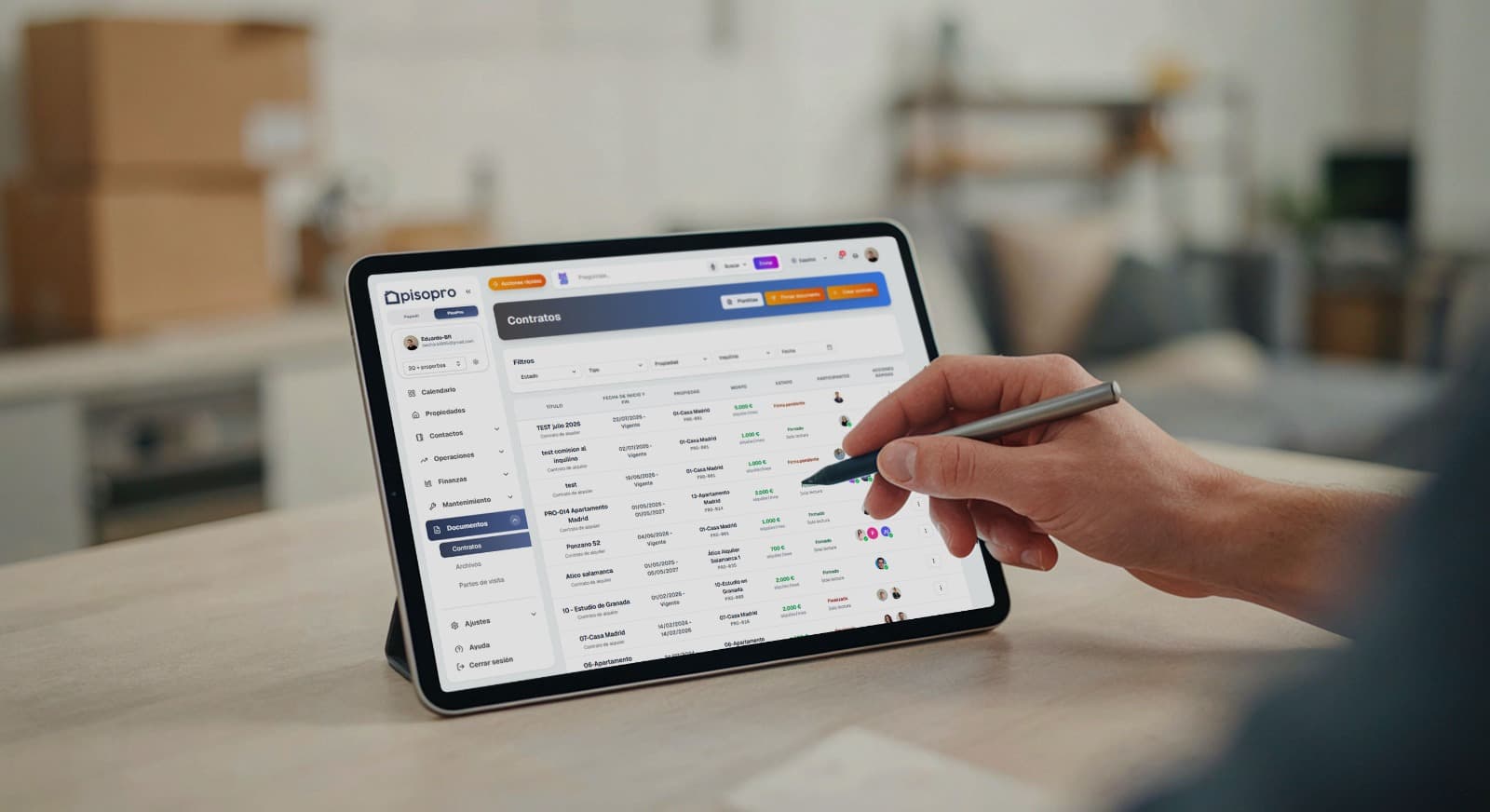
From signature to move-out
1
Add the unit
Record, status and documents before the contract is generated.
2
Contract and signature
The contract is linked to owner and tenant. E-signature goes through DocuSign.
3
Deposit
The deposit is tied to the contract and the property, including the refund.
4
Renewal or move-out
Dates sit on the calendar. The owner statement closes the cycle.
What gets stored
- Templates, renewals and contract history
- E-signature with DocuSign
- Deposits linked to the contract
- Collection, signature and move-out dates on the calendar
- Tenant portal to read the contract
FAQ
Does pisopro write the legal text for me?
It fills the contract from the record and sends it for signature. The legal text and its validity stay with the person who uses it. pisopro is not a party to the contract.
Does it cover sales as well as rentals?
The platform covers both. This page describes the rental cycle: contract, deposit and renewal.
Can the tenant see the contract?
Yes. The portal shows the contract, incident reports and messages with the agency.
Want to see a contract end to end?
From the record to the signature, the deposit and the move-out date.